


Tutorial
Getting Started
Welcome to yCheck, your all-in-one app for building powerful, flexible checklists with reminders, dependencies, sub-items, folders, and an AI assistant to help you brainstorm. This tutorial walks you through the core features step-by-step so you can get the most out of the app. Whether you’re organizing a trip, planning a project, or keeping track of daily routines, yCheck helps you think clearly and act confidently.
Tabs:
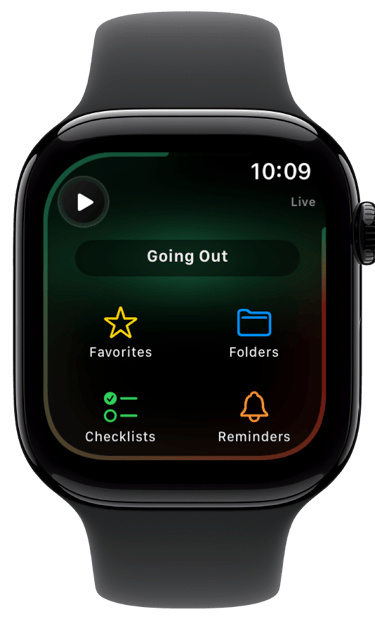
• Favorites: Your starred checklists for quick access.
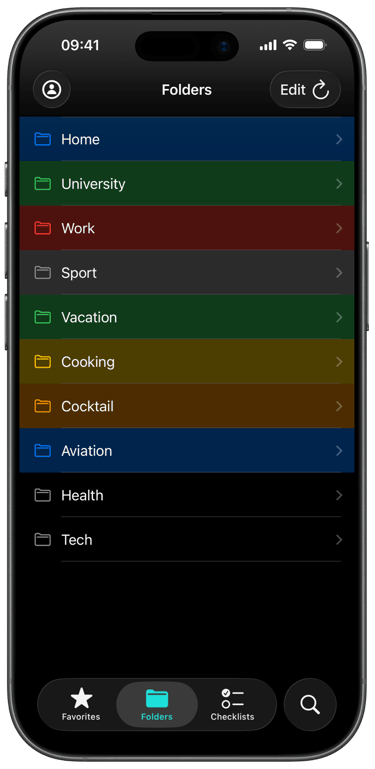
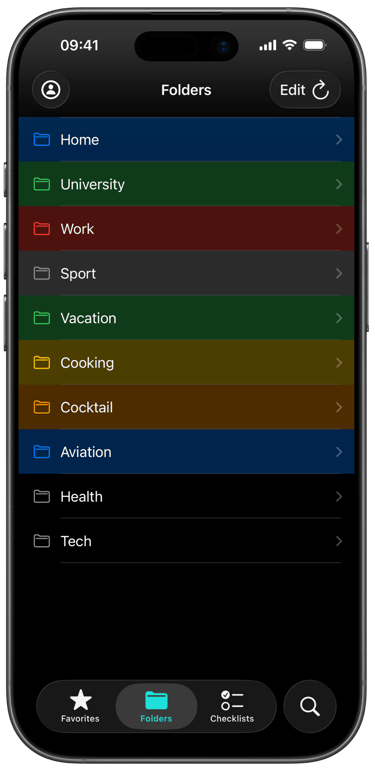
• Folders: Organize related checklists by theme (e.g., Work, Home, Travel).
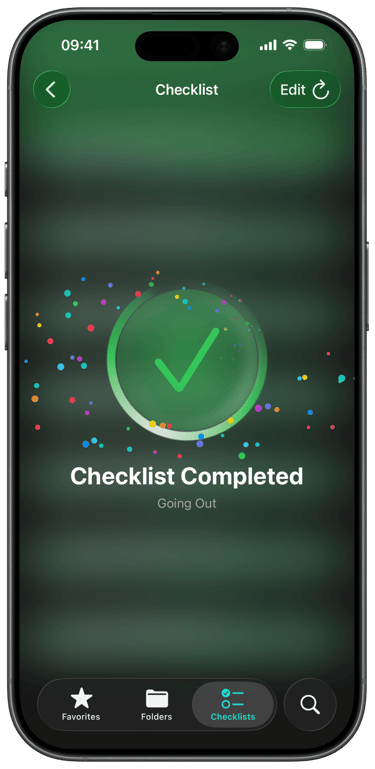
• Checklists: All your lists in one place.
• Search: Find reminders, templates, and manage global reminder settings.
• Edit mode: Tap Edit in the top-right of many screens to reorder, bulk-select, or perform batch actions.
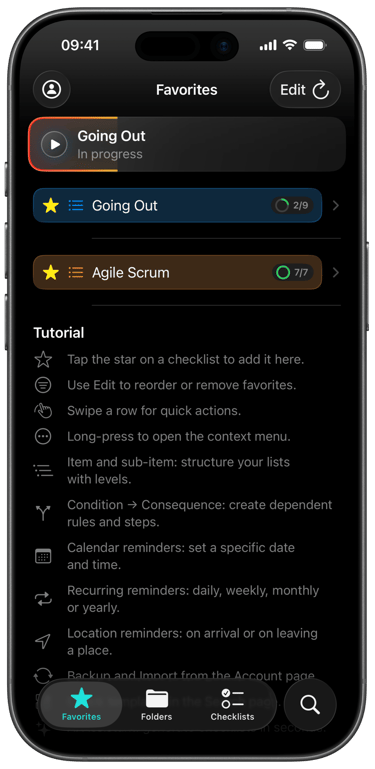
Favorites
From the Favorites screen:
• Swipe a row to quickly act on a checklist.
• Tap Edit to reorder or remove favorites.
• Tip: Use Favorites for your most frequent routines (e.g., “Going Out,” “Daily Standup”).
Folders
• Create folders to keep your checklists organized by context: Home, University, Work, Vacation, etc.
• Move checklists into folders from the checklist’s context menu (long-press the row or tap the ••• menu).
• Folders keep your main list clean and help you focus on what matters.
Creating and Structuring a Checklist
1. Create a new checklist from the Checklists tab or from a template in Search.
2. Add items and reorder them with drag-and-drop.
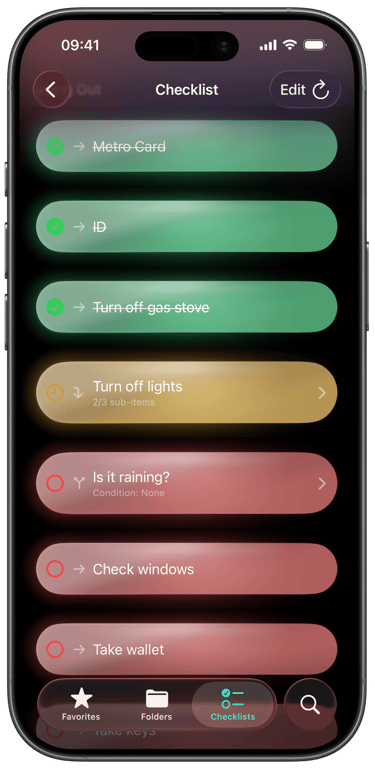
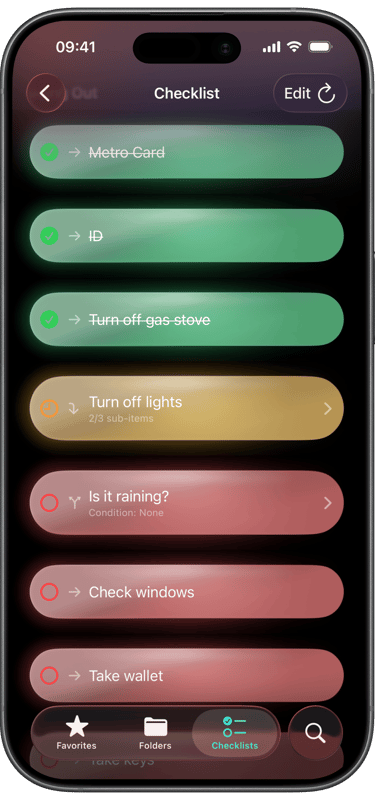
3. Use sub-items to break down complex tasks:
• Long-press an item or open its context menu to Add Sub-item.
• Sub-items appear under the parent item and can be checked off individually.
Conditions (Dependencies)
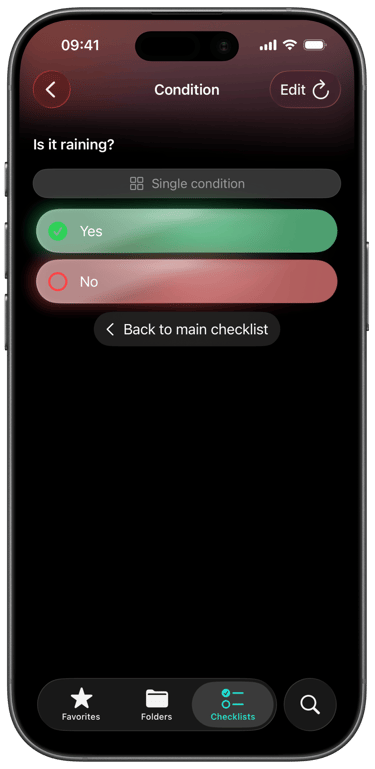
• Make one item depend on another with Add Condition.
• For example: “Take Umbrella” depends on “Is it raining?” → Yes.
• Conditional items only activate when their conditions are met, helping you keep lists relevant and uncluttered.
Reminders
yCheck supports multiple reminder types to keep you on track:• Time-based reminders: Set a date and time for a checklist.
• Repeating schedules: Configure Daily, Weekly, Monthly, or Yearly reminders.
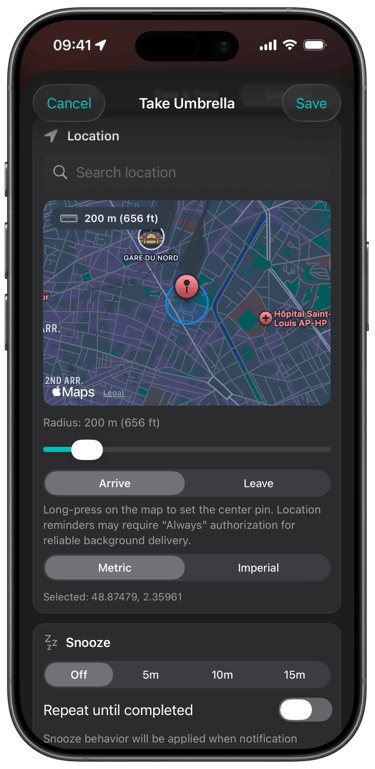
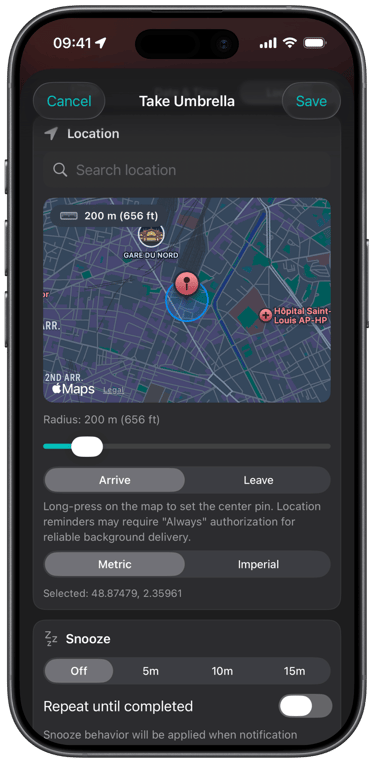
• Location-based reminders: Get notified when arriving at or leaving a specific place. Adjust the radius to fine-tune sensitivity.How to set a reminder:
1. From the Checklists list, open the context menu on a checklist (tap the ••• menu).
2. Tap Remind… and configure date/time, repeat options, and location if desired.
3. Save. You’ll see upcoming reminders in the Search tab under Reminders.Global reminder control:
• In Search, you’ll find a Reminders section.
• Tap the bell action to cancel all reminders across the app when needed (e.g., while traveling).
AI Assistant
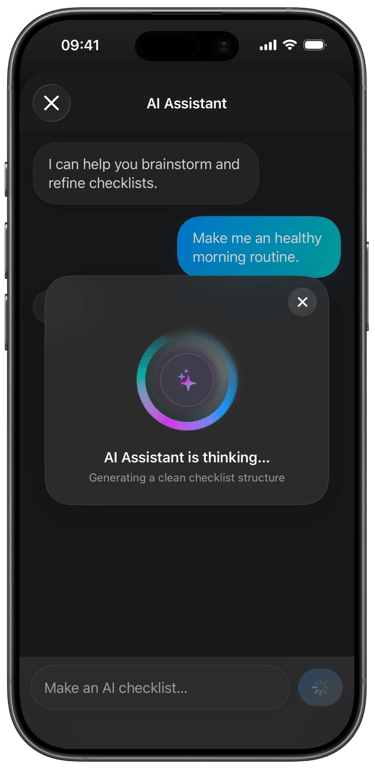
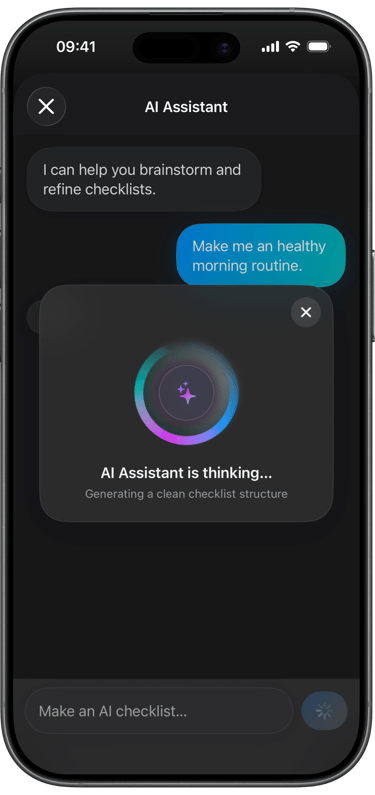
Let the AI Assistant help you brainstorm and create checklists faster.
• Open the AI Assistant from the Checklists or Search context (look for the sparkle/wand icon).
• Describe what you need: “Make me a list of places to visit in New York City.”
• The assistant will think, generate a structured checklist (with sections if relevant), and let you:
• Export the checklist directly into yCheck.
• Go to the new checklist and start using it immediately.
• Use the AI to refine, expand, or reorganize lists—great for trip planning, projects, learning goals, and more.
Premium Features
Unlock more power with Premium:
• AI Assistant to create and refine checklists.
• Unlimited checklists, folders, favorites, and sub-items.
• Unlimited conditions to create smart, adaptive lists.
• Advanced tools like removing duplicates and managing consequences.
• Priority features designed for heavy planners and power users. Manage subscription:
• From the Account screen, tap Manage subscription.
• Restore Purchases from the Paywall or Account if you’ve previously subscribed.
Account and iCloud Backup
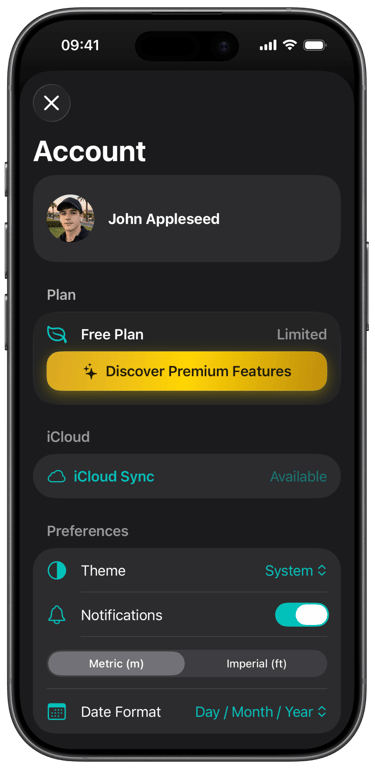
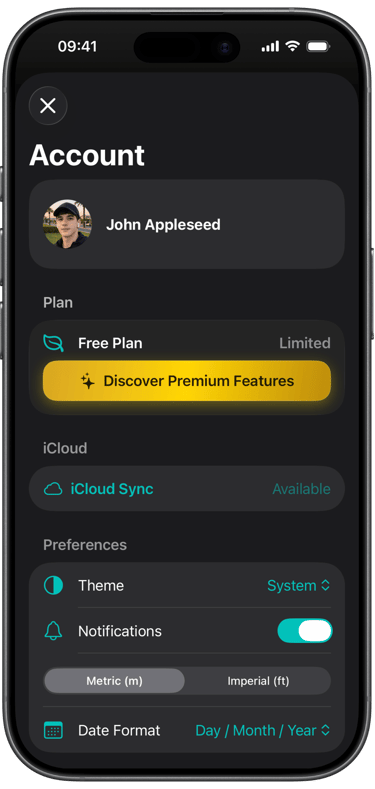
• Access the Account screen to manage your plan, theme, notifications, and iCloud backup.
• iCloud Backup:
• Save to iCloud to keep your data safe.
• Restore from iCloud when switching devices or recovering data.
• Theme: Choose System, Light, or Dark to match your preference.
• Distance units: Choose between metric and imperial units as default setting.
• Notifications: Toggle on/off if you need a break from reminders.
Compatibility
iPhone
Minimum Compatibility: iOS 18.5 and later.
iPad
Minimum Compatibility: iPadOS 18.5 and later.
watch OS
Minimum Compatibility: watchOS 26.4 and later.
Apple Vision Pro
yCheck is not yet optimized for visionOS. But it can run on Apple Vision Pro.
Minimum Compatibility: visionOS 2.5 and later.
Mac
yCheck is not yet optimized for macOS. But it can run on Apple Silicon Macs.
Minimum Compatibility: macOS 15.5 and later.
Download on App Store

Reminders disappear... Checklists are reseted.
Whether you call them processes, routines, workflows, procedures or simple checklists, one thing is certain: the human mind was never designed to remember everything, all the time.
That is where yCheck comes in.
yCheck is more than a checklist app. It is a structured life companion designed to reduce mental overload, improve reliability, and help you stay focused on what truly matters — whether in your personal life, your work, or high-responsibility environments.
For some people, yCheck is a simple daily routine manager:
• Morning and evening habits
• Grocery lists
• Packing for vacations
• Fitness routines
• Cleaning schedules
• Family organization
For others, it becomes a professional operational tool:
• Aircraft preflight procedures
• Safety inspections
• Maintenance processes
• Medical or laboratory protocols
• Production workflows
• Event coordination
• Team operations
Pilots have used checklists for decades because memory alone is not reliable under stress, fatigue or distraction. The same principle applies to everyday life. A forgotten document before a flight, a missed medication, an incomplete shutdown procedure, or a skipped preparation step can create unnecessary stress — or worse.
yCheck helps transform important actions into repeatable, reliable systems.
The app is also particularly valuable for people who experience mental overload, anxiety, attention difficulties, or obsessive checking behaviors. Instead of repeatedly wondering:
“Did I lock the door?”
“Did I turn off the stove?”
“Did I complete every step?”
you can rely on a clear validated process and regain peace of mind.
Many users use yCheck to:
• Secure departure routines before leaving home
• Manage anxiety through structured validation
• Organize complex travel preparation
• Handle recurring administrative tasks
• Prepare professional equipment setups
• Coordinate collaborative workflows
• Reduce cognitive fatigue in demanding environments
Unlike traditional reminder apps, yCheck focuses on structured execution. Lists are designed to be reused, reset, adapted and improved over time. Your routines evolve with you.
Minimal when you need simplicity.
Powerful when precision matters.
Designed for real life — from everyday habits to mission-critical procedures.
Because sometimes, peace of mind starts with a single checked box.